
All about…
Fillable PDFs
Fillable PDFs are simply PDF files which can be edited on-screen by using a mouse and keyboard, or your fingers on a tablet. You may have come across them before when completing forms or other documents. Once completed, they can be saved and shared or printed.
At TEFL-worksheets.com we have taken worksheets to the next level by also providing them as fillable PDFs, in addition to the standard printable PDFs. Only the answer fields can be edited, leaving the document clear and presentable.
How to complete a fillable PDF
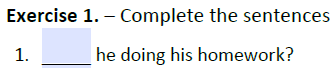
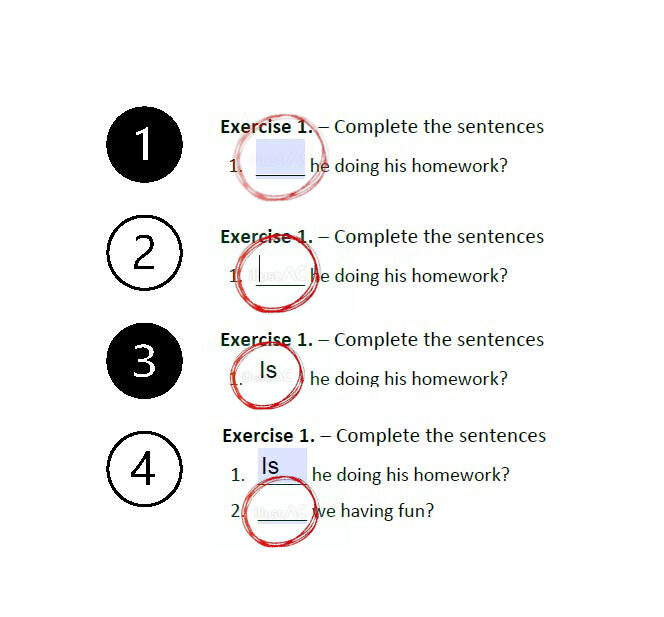
Identify the answer fields
They are usually shown in a different colour (blue in this instance)
Click or tap the answer field
A blinking cursor should appear
Type the answer
All fields are sized so that the answers will fit.
Move to the next question
You’re all done!
Some answers take a different format, such as a drop down list. For these, simply click on the arrow and select the correct answer.
Frequently Asked Questions
Does the fillable PDF show the answers?
No, the completed form will need to be marked by someone with the answers.
Can I open and complete the PDF in my browser?
It is recommended that you open the fillable PDF in a standalone PDF application, such as Adobe Acrobat Reader. Completing the form in your browser may affect the functionality of the form.
Can I save the completed form?
Yes, simply select ‘Save as…’ (or similar) from the document main menu.
Can I print the completed form?
Yes, simply select ‘Print’ from the document main menu.